
For pharmacies
B2B pharmacy ordering in Nigeria, from the wholesalers you already buy from
Compre gives your pharmacy’s buying one home: the Compre app, where you order from each wholesaler you are connected to, at their prices, and confirm every order before it is sent. Busy at the counter? Send your list on WhatsApp and it lands in the same account.
How pharmacies buy stock today
Pharmacy procurement in Nigeria runs on relationships with the wholesalers and distributors a pharmacy knows and trusts. The relationships work. The ordering around them is where time goes and mistakes happen.
Orders are spread everywhere
Phone calls, sales reps, notes in a jotter and a separate WhatsApp thread for every wholesaler. Nothing adds up to one record of what you ordered.
Prices and stock arrive late
You often learn what is available, and at what price, only after the wholesaler replies.
Similar names cause wrong deliveries
A brand, strength or pack size misread from a message means the wrong product on the shelf.
Reordering starts from scratch
Without an order history, the weekly restock gets rewritten by hand every time.
How ordering works on Compre
Four steps in the Compre app. The screens below are from a demo account.
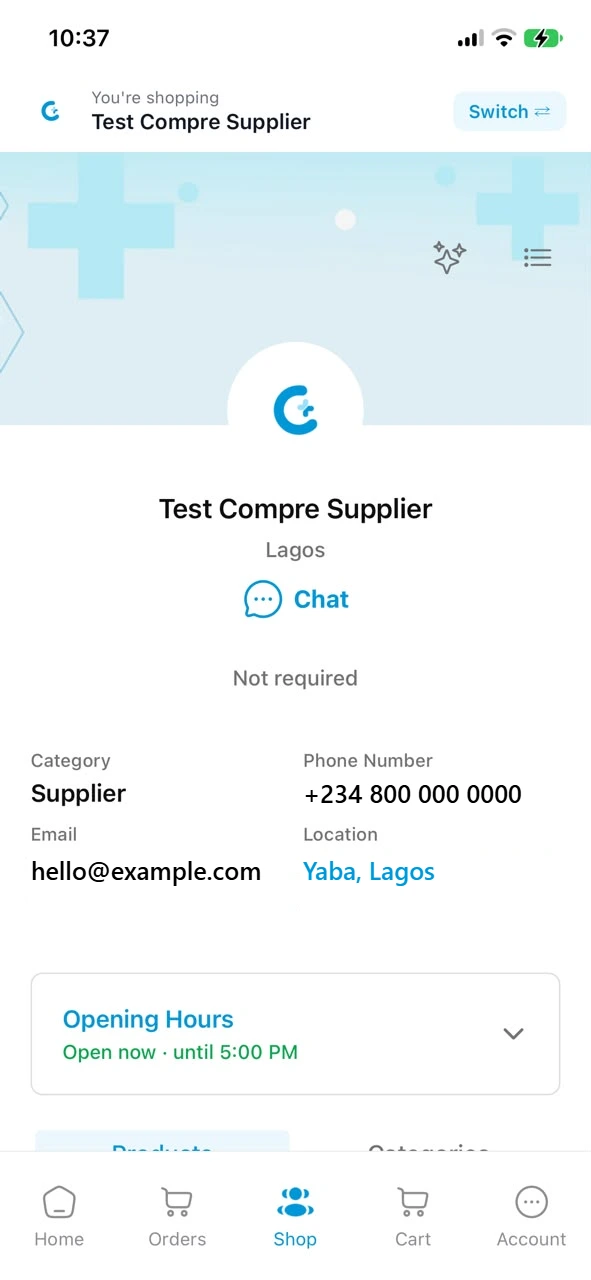
- Step 1
Connect to your wholesaler
Scan the Store QR on your wholesaler’s counter poster or invoice, accept an invitation they send you, or sign up in the Compre app and invite them.
- Step 2
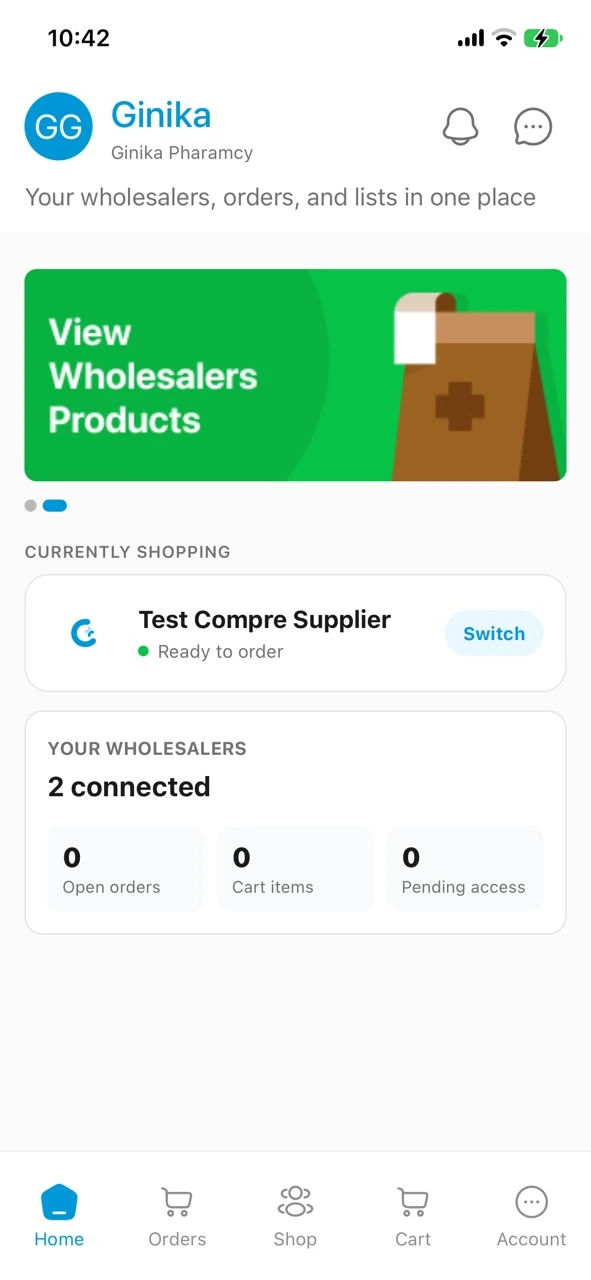
Build your order in their Shop
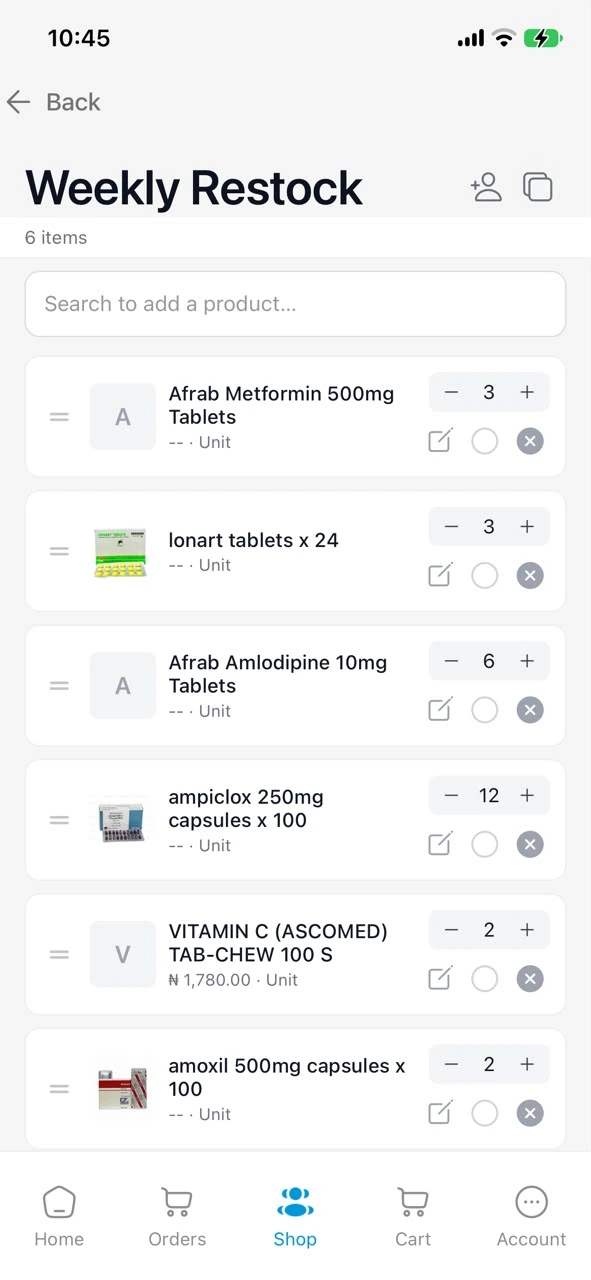
Each wholesaler has its own Shop in the app with its catalogue, prices and cart. Search the catalogue, start from a shopping list or order template, or capture a handwritten list from a photo.
- Step 3
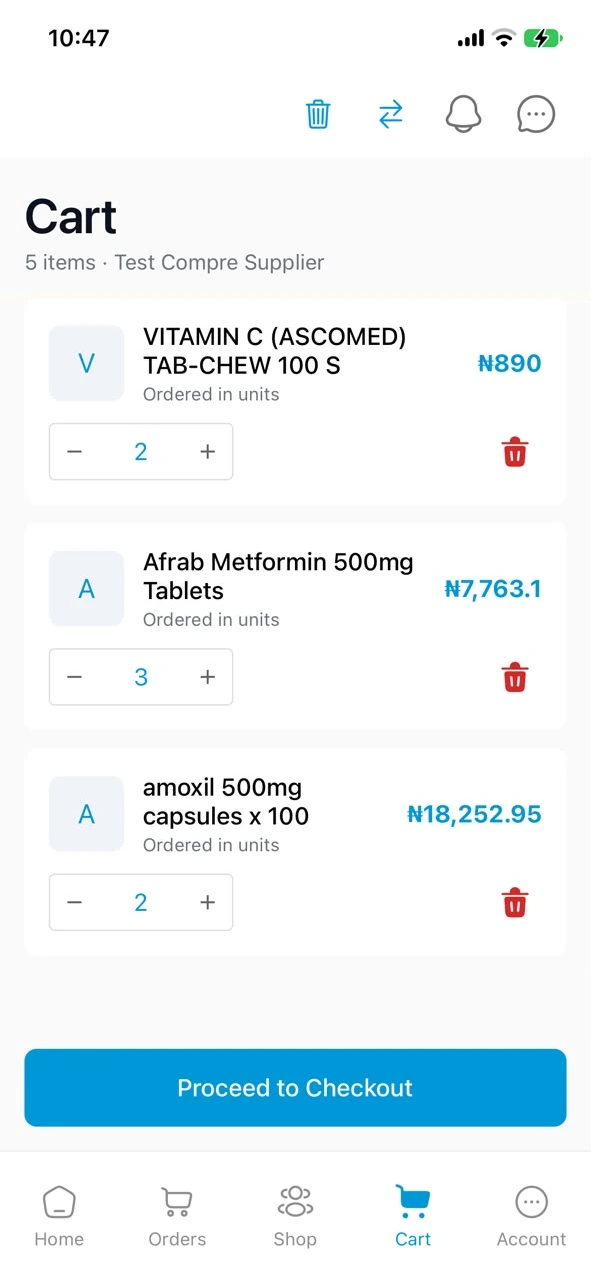
Review and confirm
Check quantities and prices before you send. If a name could mean more than one product, Compre asks which you meant. Nothing is ordered until you confirm.
- Step 4
Track it, then reorder
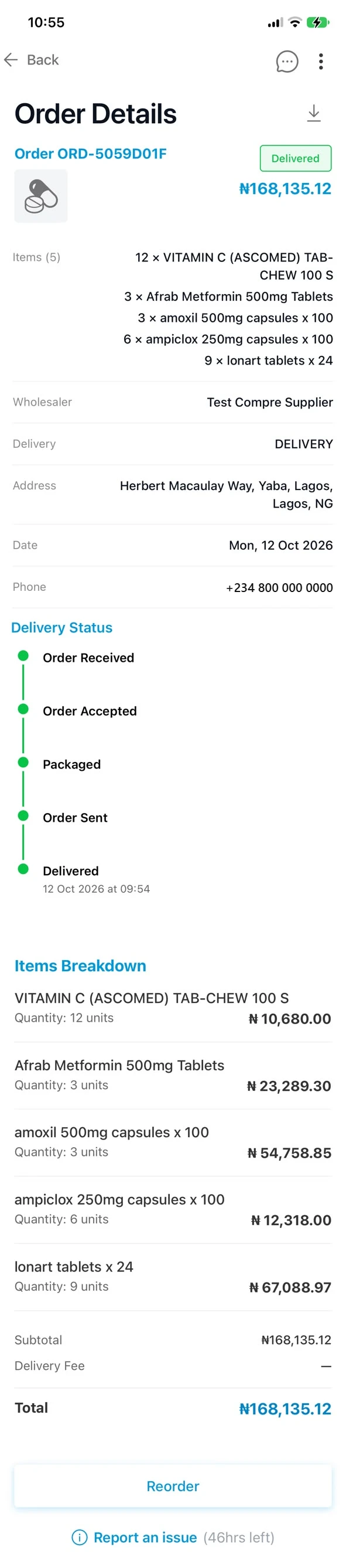
Follow the order to delivery, see any change your wholesaler proposes, and repeat a past order in a tap.
Want the full journey, including what your wholesaler sees? See how Compre works.
Order from your pharmaceutical wholesalers and distributors
Compre does not list wholesalers against each other. You order from the wholesalers and distributors you already buy from, each in its own Shop with its own catalogue, prices, cart and credit, and you switch between them in the app.
If your wholesaler is not on Compre yet, invite them from the app. They receive an invitation to set up their store, and once they are live you order from them as usual.
Already ordering on WhatsApp? Start there
Send your list the way you write it: typed, a photo of your jotter, a voice note, or a PDF, Excel or Word file. Compre matches each line to your wholesaler’s catalogue, asks about anything unclear, and builds a basket for you to confirm.
The order lands in the same Compre account, so you can follow it, see changes and reorder in the app. WhatsApp is a quick way in; the app is where your procurement lives.
Your pharmacy ordering app
What you get in the Compre app, on Android and iOS. More on Compre for pharmacies.
Every wholesaler, one Shop at a time
Switch between the wholesalers you buy from. Each keeps its own prices, cart and credit.
Shopping lists and order templates
Save the things you buy every week and turn them into an order when you need them.
Order history and status
Every order, its status and any proposed changes, in one place.
Credit from your supplier
Apply for credit your wholesaler offers and see your balance. The terms are your wholesaler’s; Compre does not lend.
Branches and team
Add team members and branches, with an HQ view across them.
Back-in-stock alerts
Request a product that is out, and Compre tells you when it is back.
Get the Compre app
Order from your wholesalers, confirm every order and keep one record of your buying.


A wholesaler or distributor? See Compre for distributors · Read the FAQ