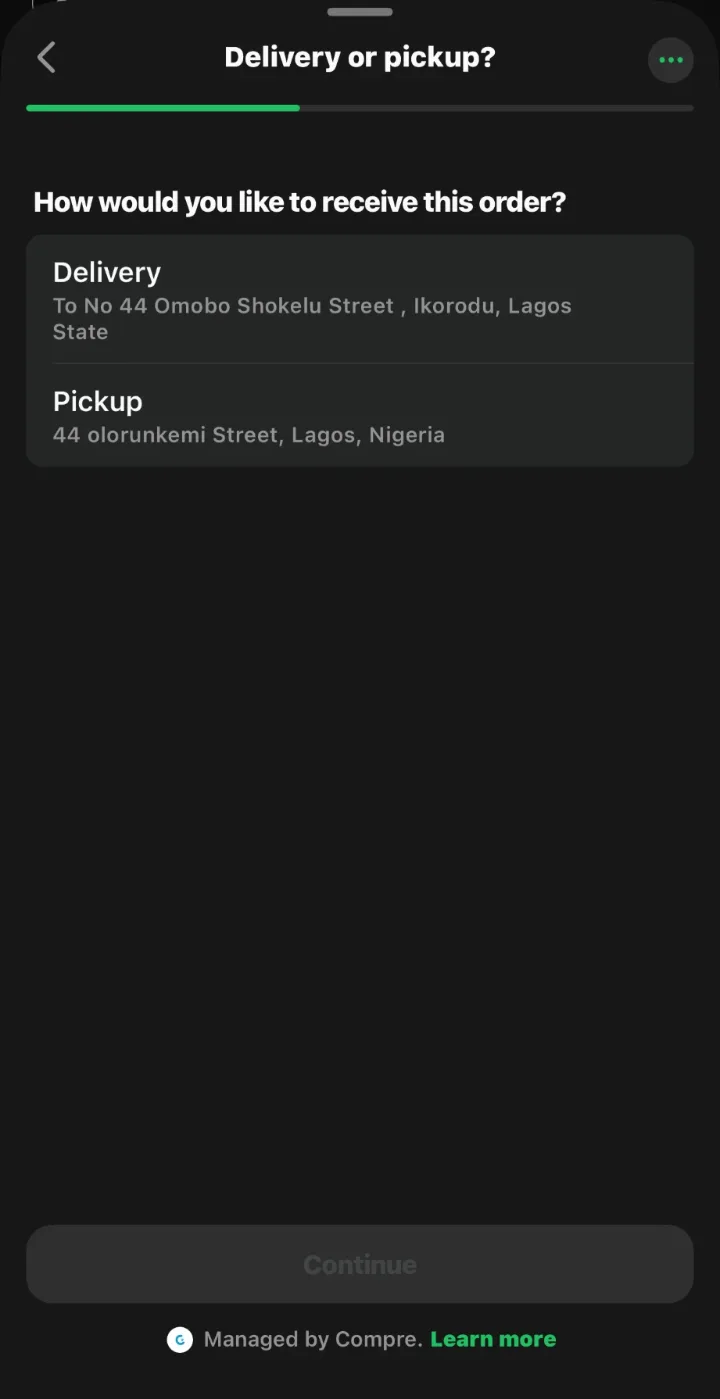
How it works
From a pharmacy’s list to a wholesaler’s dashboard
WhatsApp is the channel. Compre is the system underneath it. Every order goes to a named wholesaler, and every order becomes procurement intelligence.
From a jotter to a confirmed order, in one chat
WhatsApp is the fast front door. Everything you send lands in the same Compre account, ready to review in the app.
- Step 1
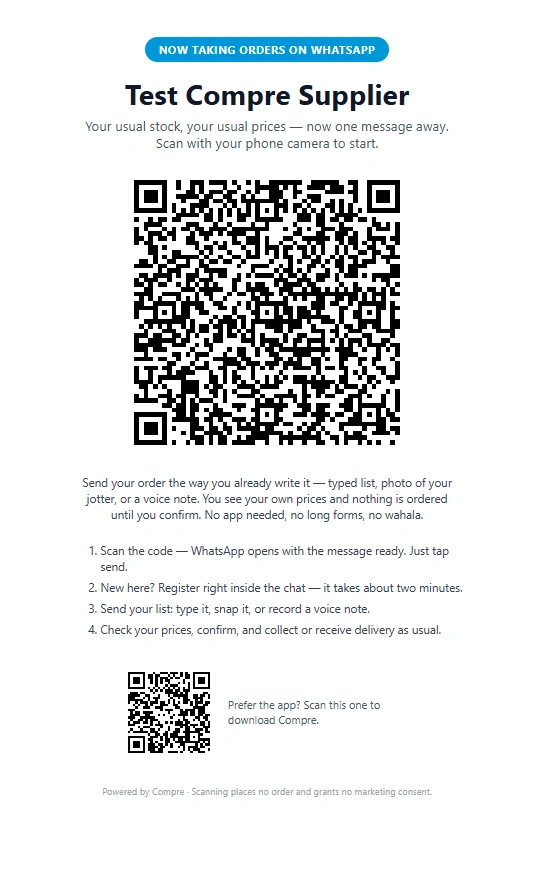
Scan your wholesaler’s Store QR
The QR on your wholesaler’s counter poster or sticker opens WhatsApp inside that wholesaler’s Shop. You always know whose Shop you are ordering from.
- Step 2
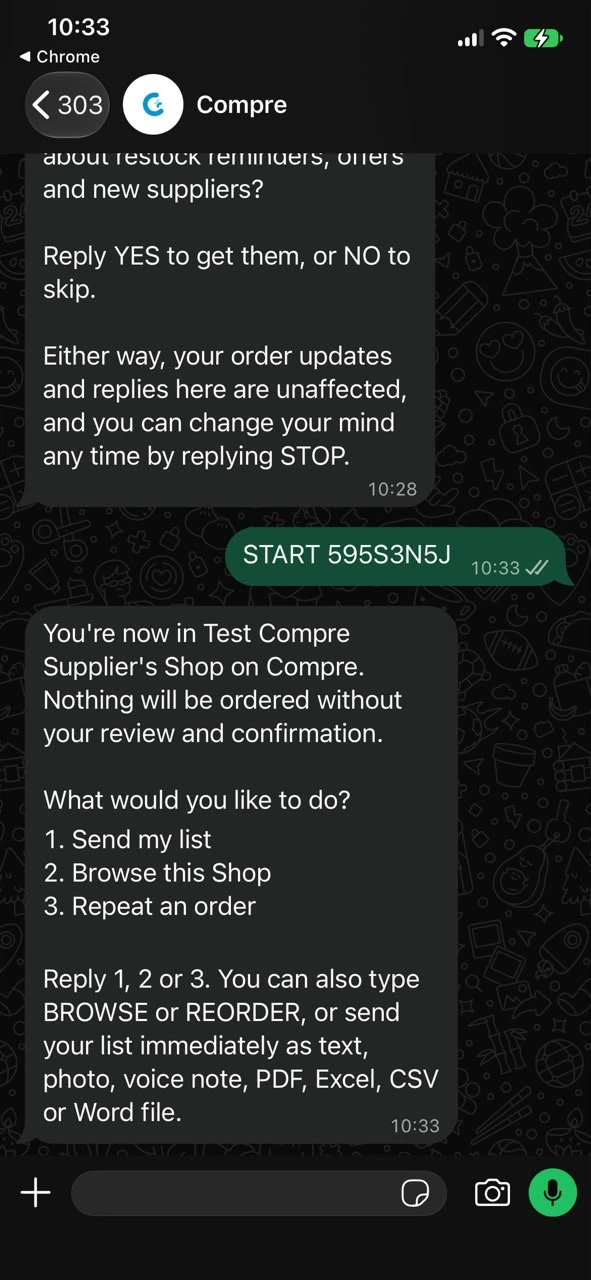
Start your order in that Shop
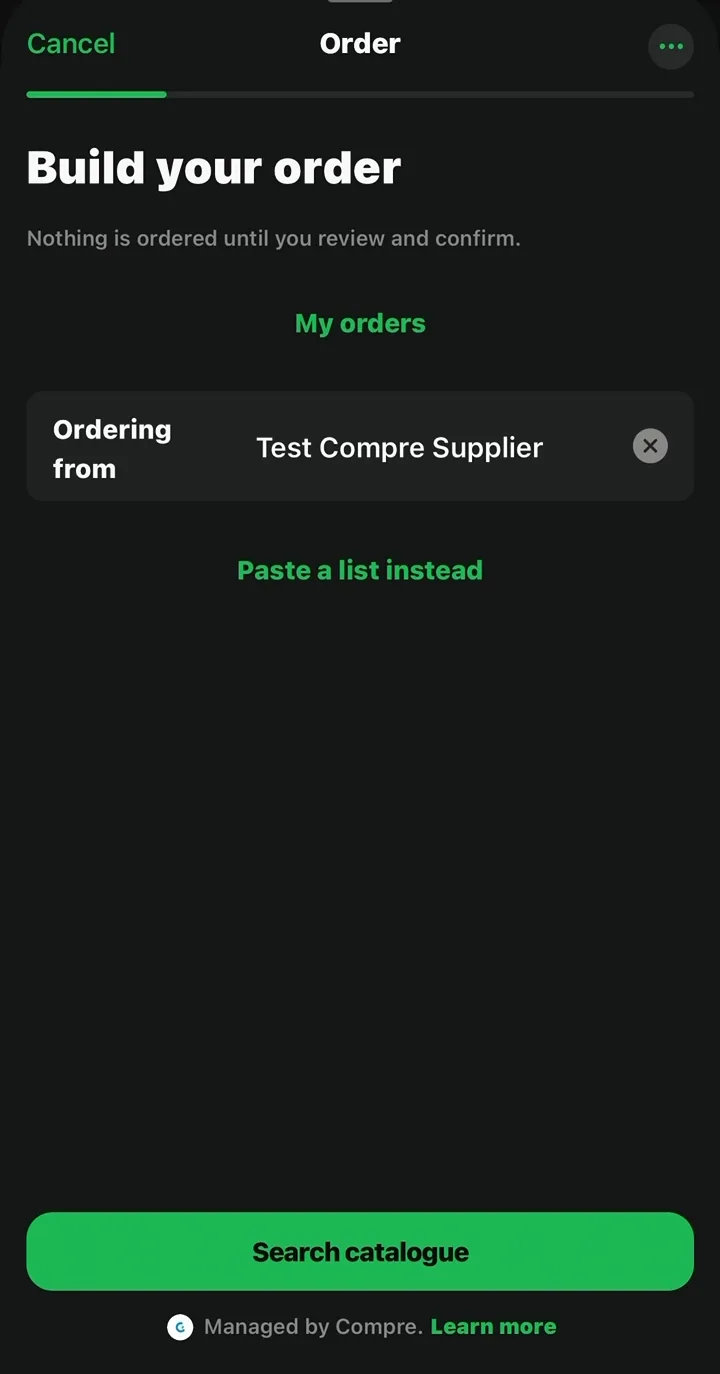
Compre shows who you are ordering from, then you search the catalogue or paste a list. Nothing is ordered until you review and confirm.
- Step 3
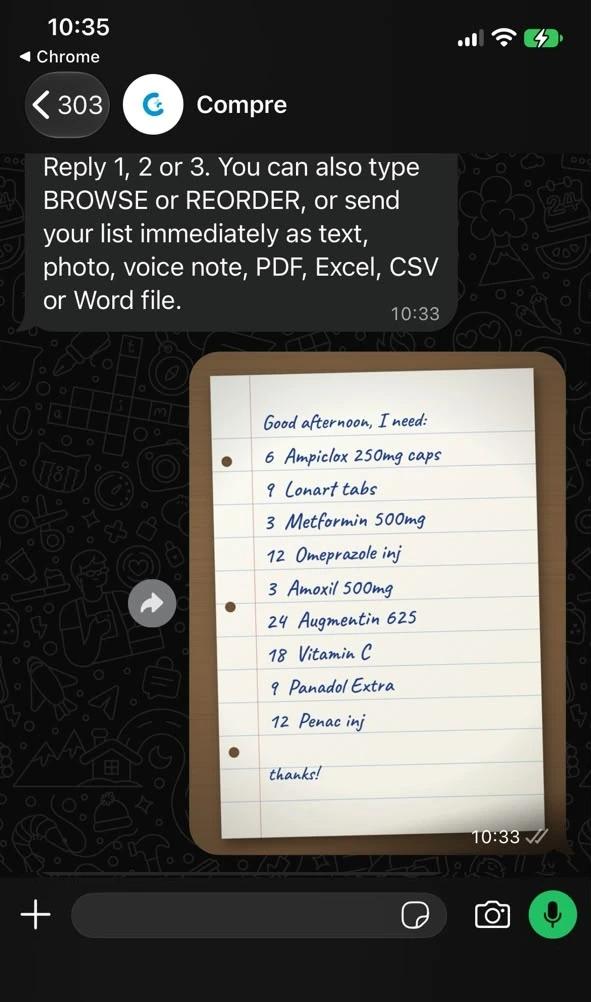
Send your list, any way you like
Type it, snap a photo of your jotter, record a voice note or attach a PDF, Excel or Word file.
- Step 4
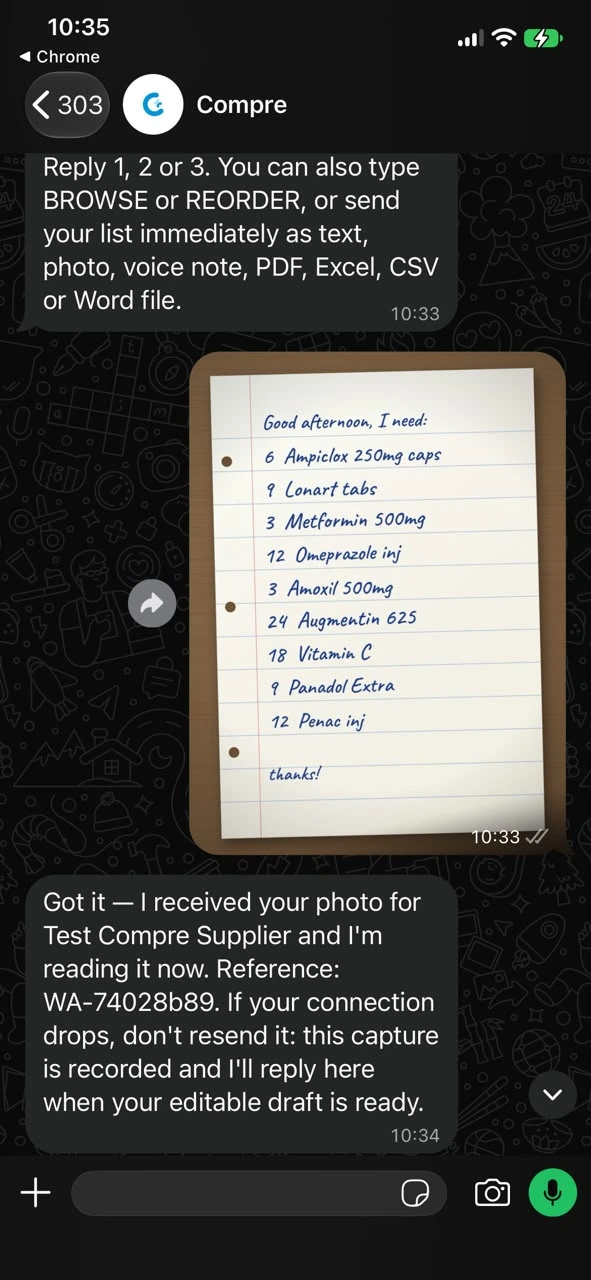
Compre reads and structures it
Your list is read line by line and matched to the products in that wholesaler’s catalogue.
- Step 5
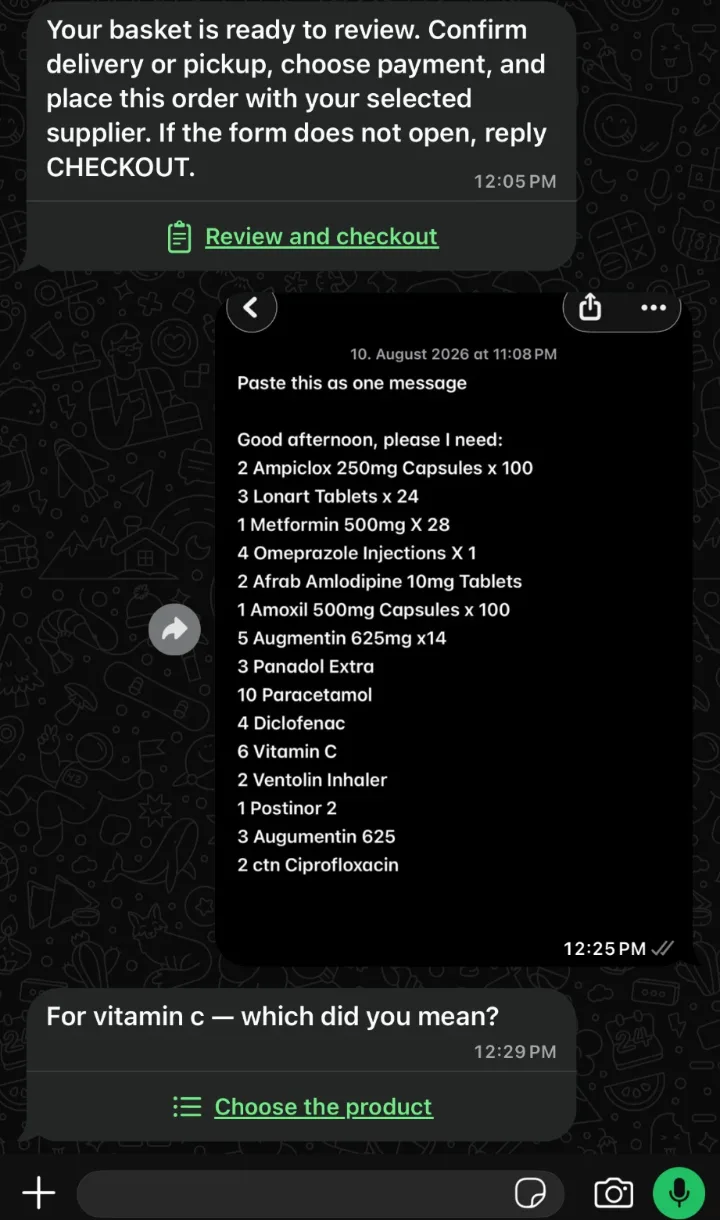
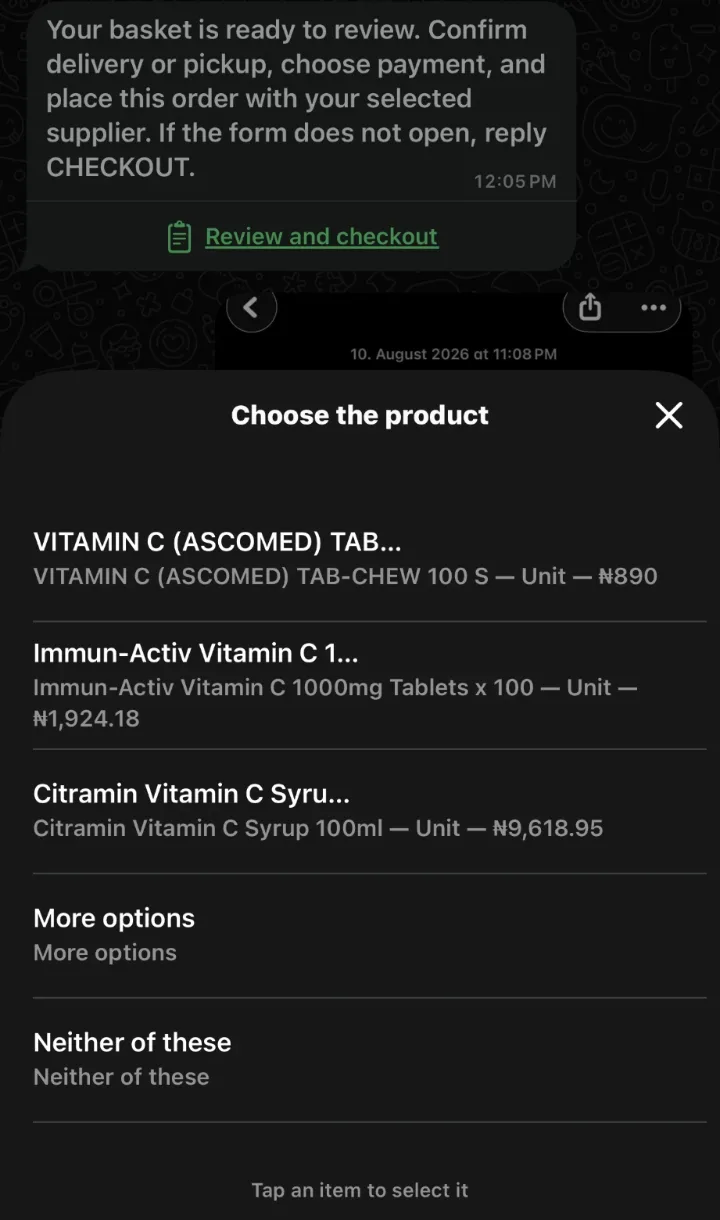
When it is unsure, it asks. It never guesses.
If a name could mean two products, Compre asks “Which did you mean?” and waits for your answer.
- Step 6
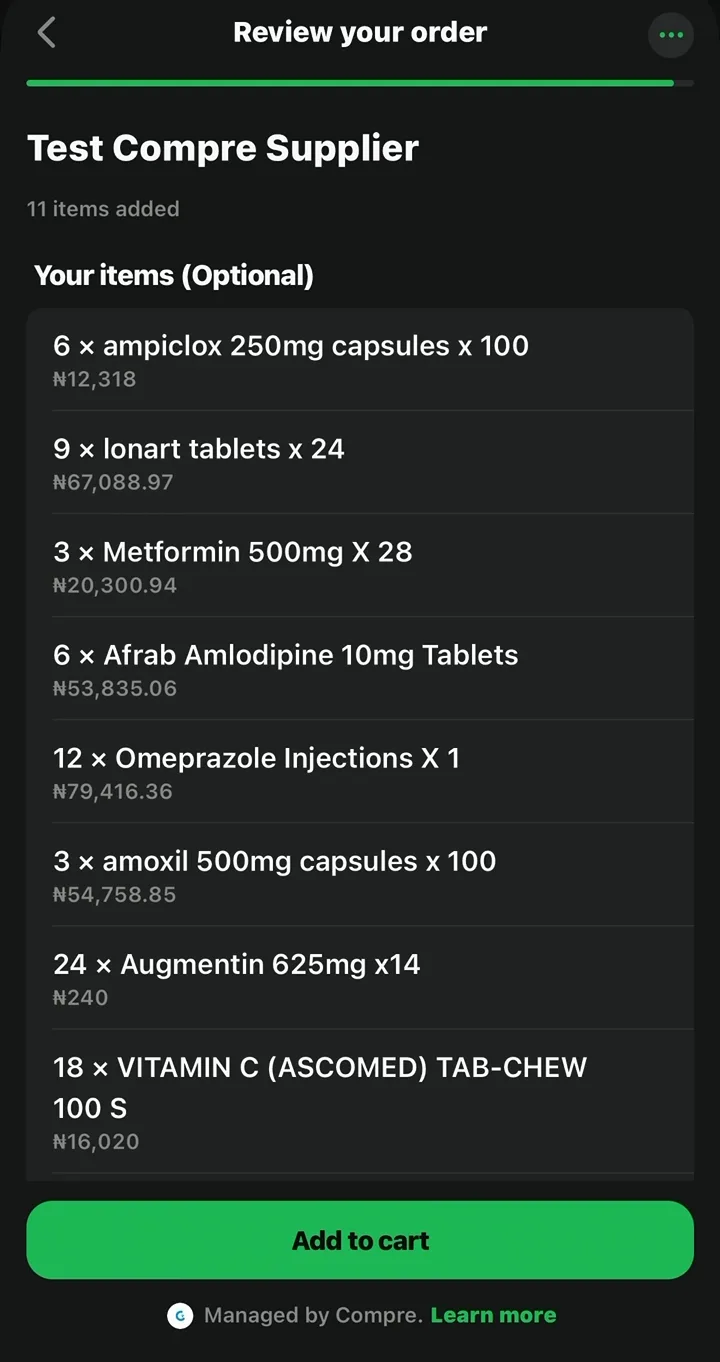
Review your basket
You see a structured basket with quantities and the wholesaler’s prices before anything is sent.
- Step 7
Finish your order
Confirm in the Finish your order screen. The order goes to the named wholesaler, and you can follow it in the same chat.